Story 1
Modular theme architecture
Giving clients autonomy over their own storefront
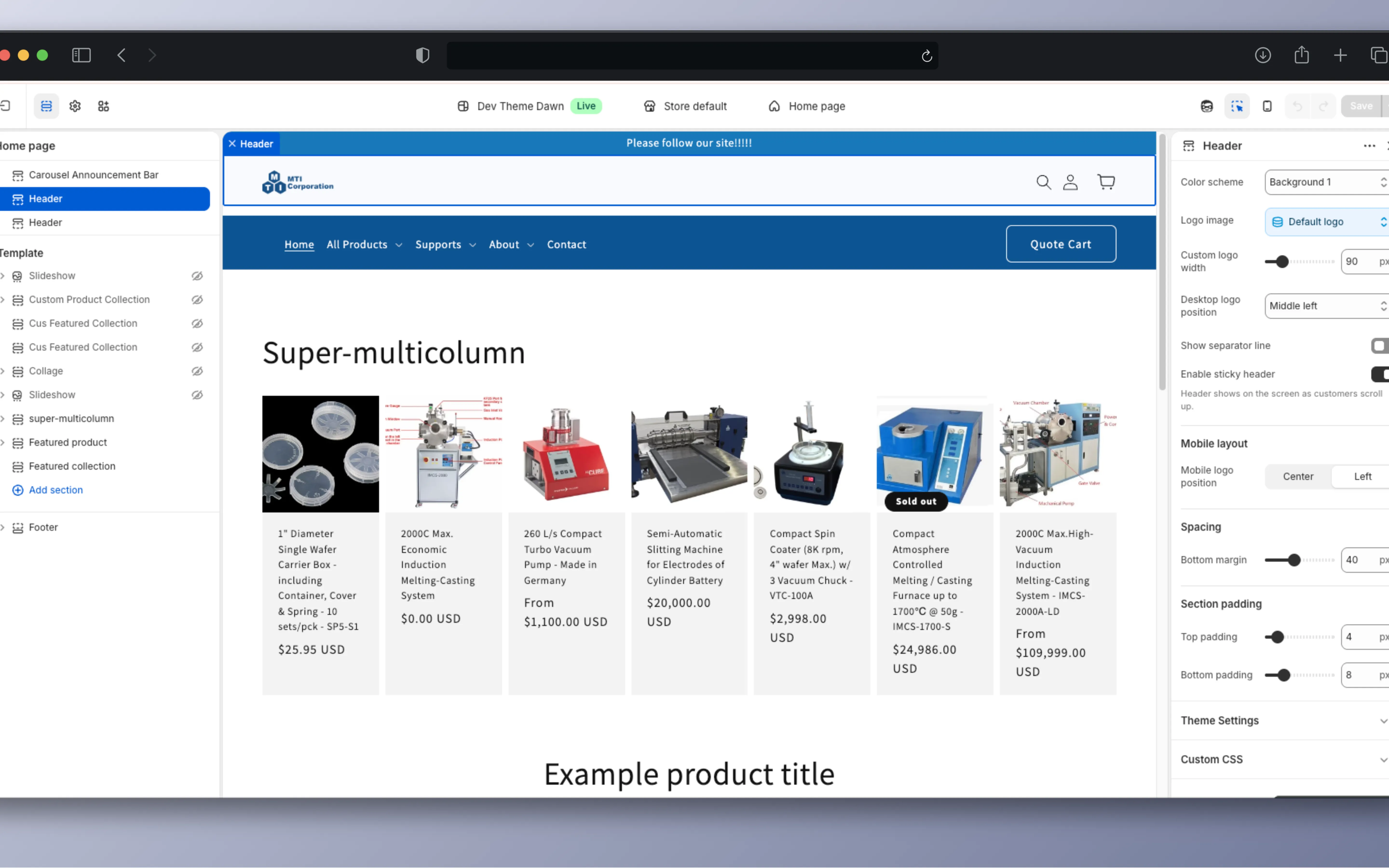
The core problem was client dependency on developers for minor UI changes. Every new landing page, every banner swap, every product highlight required a developer ticket. I solved this by re-architecting the Shopify theme using modular Liquid sections: reusable, configurable UI blocks that the marketing team can drag-and-drop, toggle, and customize through the Shopify Theme Editor without writing code.
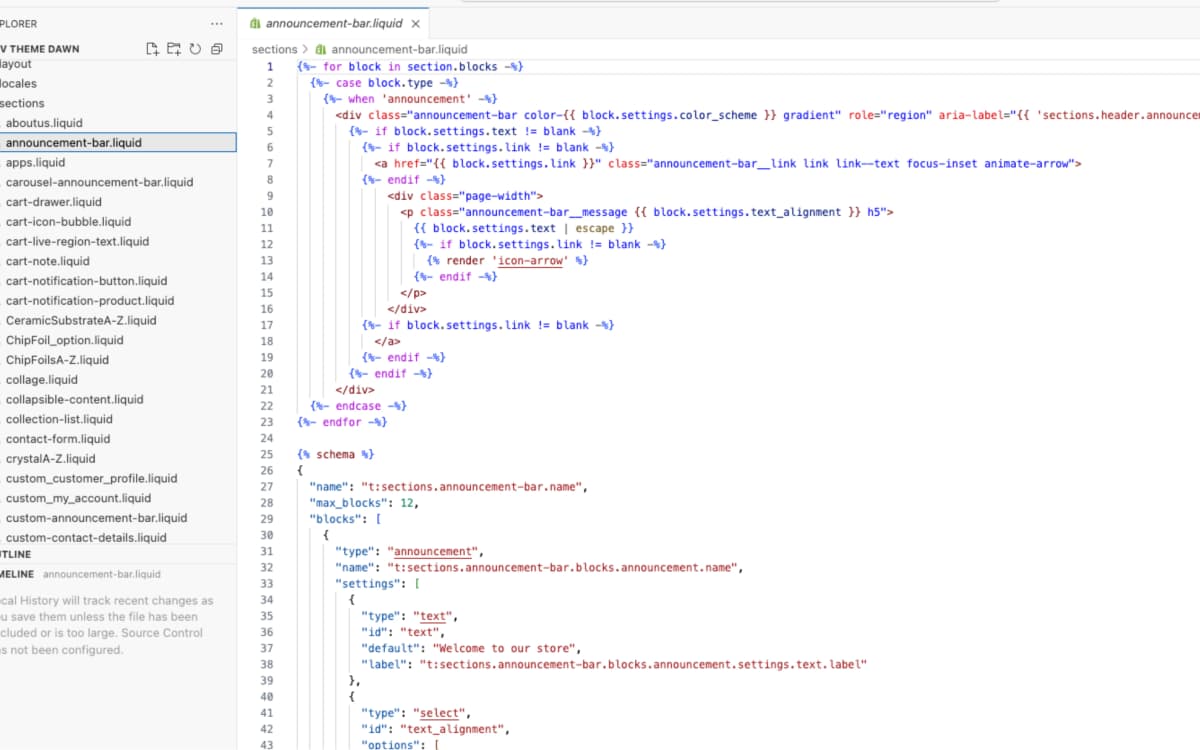
Each section is built with a {% schema %} block that exposes settings (text, colors, layout alignment, max blocks, link targets) as visual controls in the editor. For example, the announcement bar section supports up to 12 configurable blocks, each with editable text, color scheme, and optional link, all set in the visual editor.
I built custom sections including: Custom Product Collections, Featured Collections, Carousel Announcement Bar, Super Multicolumn layouts, Collage grids, and custom contact forms. Now non-technical staff launch landing pages on their own, without waiting for a developer.
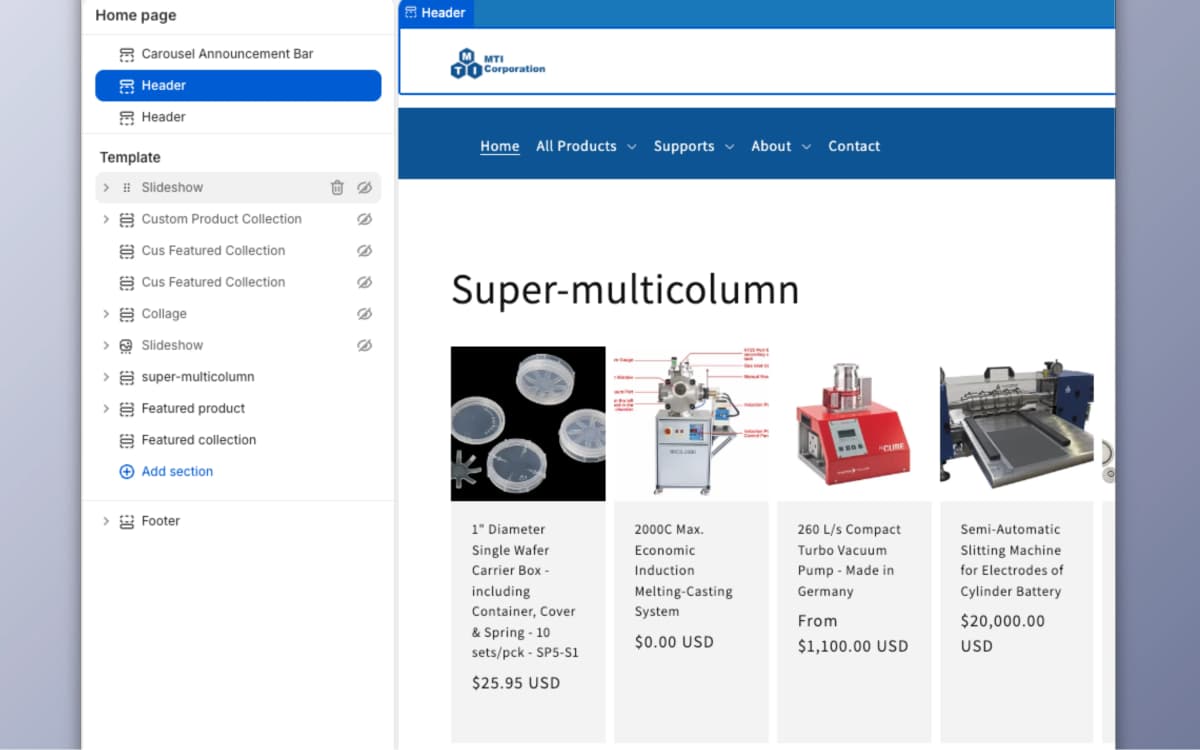
Code-free visual editor
Each Liquid section exposes its settings via JSON schema blocks, making text, colors, layouts, and feature toggles editable through the Shopify Theme Editor.
Logic-aware breadcrumbs
Custom breadcrumb system that understands the deep hierarchy of a 30k+ product catalog, improving navigation and SEO structure.
Story 2
High-performance catalog engine
Making 30,000+ products discoverable and navigable
MTI sells precision scientific equipment with complex part numbers like "EQ-G-Holder" and "IMCS-2000A-LD." Standard Shopify search can't handle these. I built a custom fuzzy search algorithm that handles typos and partial matches for industrial part numbers, so searching "IMCS 2000" finds "IMCS-2000A-LD" correctly.
For buyers who are browsing, I set up multi-level categories, breadcrumbs, and A to Z sorting, so they can narrow down from a broad category to one product.
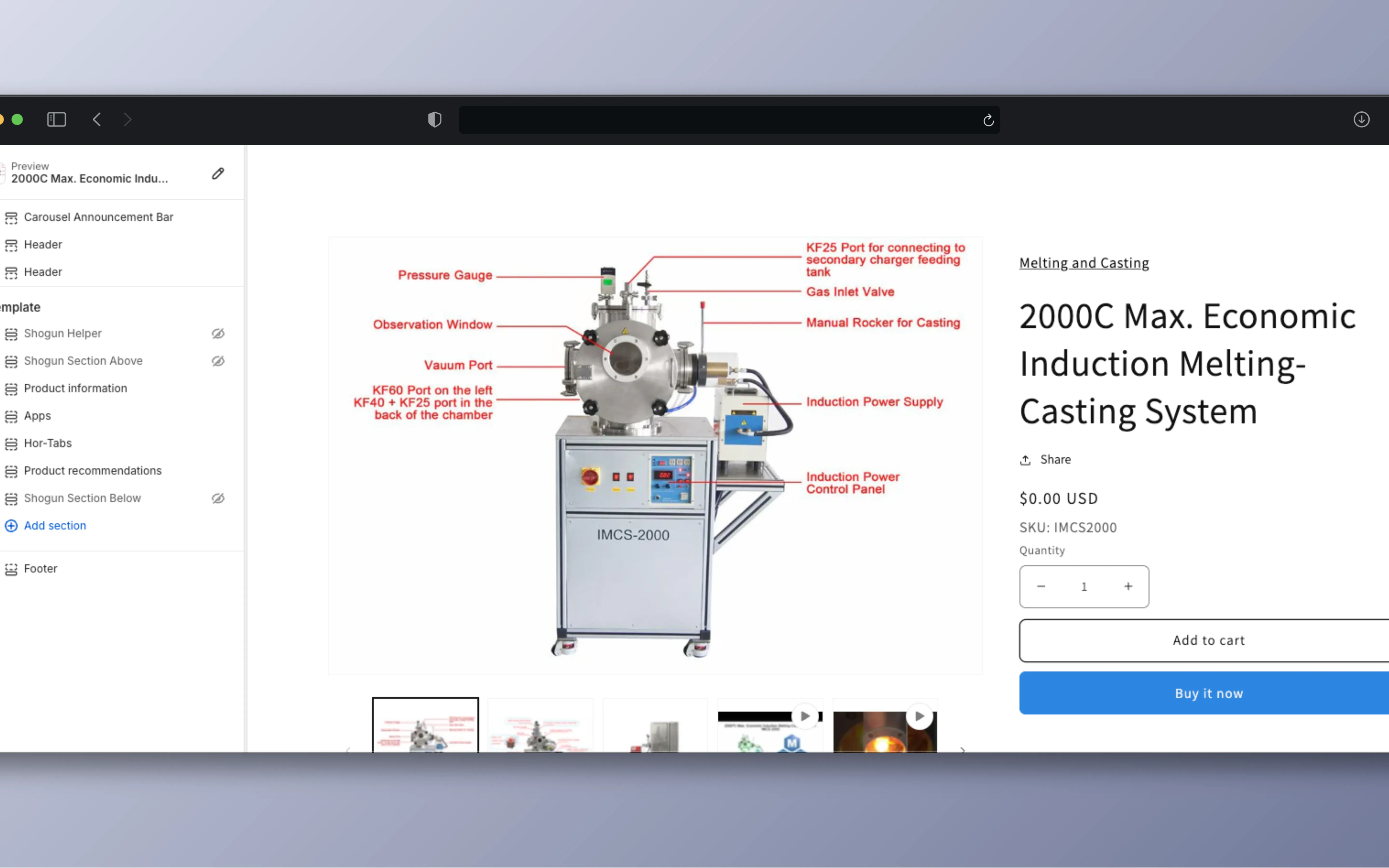
Product pages show high-resolution images with component labels, variant selection, and inventory status, for B2B buyers who need technical specs.
I also designed a custom B2B registration flow that captures business-specific data points (company name, tax ID, purchase purpose), streamlining the verification process for wholesale accounts.
Story 3
Different content for different visitors
Three audiences, one storefront
The storefront serves three audiences on the same pages: guests, verified members, and internal employees. I implemented conditional content rendering using Liquid's customer tag system: members see exclusive technical manuals (PDFs) that are hidden from guest traffic, and employees see a hidden "Staff Communication Layer" directly on product pages where they can view internal notes and collaborate without leaving the storefront.
The cart also includes a "Special Instructions" module where customers attach shipping or handling requests that sync directly to the fulfillment dashboard.
Guest
Standard storefront with product catalog, search, and quote cart. No access to technical manuals or internal notes.
Member
Exclusive technical manuals (PDFs) and wholesale pricing.
Employee
Hidden staff communication layer on product pages for internal notes and collaboration.
Technical highlights
Liquid section schema system
Each modular section is built with a JSON schema that defines editable settings, block types, and max block limits. The schema acts as a contract between the developer and the theme editor, so non-technical users can only make changes within safe limits.
{% schema %}
                    {
                      "name": "Announcement bar",
                      "max_blocks": 12,
                      "blocks": [{
                        "type": "announcement",
                        "settings": [
                          { "type": "text", "id": "text",
                            "default": "Welcome to our store" },
                          { "type": "select", "id": "text_alignment",
                            "options": ["left", "center", "right"] },
                          { "type": "color_scheme", "id": "color_scheme" }
                        ]
                      }]
                    }
{% endschema %}Conditional rendering with customer tags
Shopify's Liquid templating allows conditional rendering based on customer tags. I used them to show each audience different content without a separate login system. The same template renders differently based on who's logged in.
{%- if customer and customer.tags contains 'member' -%}
  <!-- Technical manuals section (members only) -->
  {% render 'technical-manuals', product: product %}
{%- endif -%}

{%- if customer and customer.tags contains 'staff' -%}
  <!-- Internal notes (employees only) -->
  {% render 'staff-notes', product: product %}
{%- endif -%}
What I learned
This project taught me the power of designing for non-technical users. The modular section architecture wasn't technically complex. Most of the work was thinking about the people using it. Every schema setting had to be named clearly, every default had to make sense, and every block limit had to keep the page from looking broken.
Working with Shopify Liquid also gave me a deep appreciation for server-rendered templating and the constraints of a platform-based architecture. Not every problem needs a React app. Sometimes the best frontend is a server-rendered page the client can update on their own.