The problem
Code reviews are one of the biggest bottlenecks in development workflows. Senior engineers spend hours reviewing pull requests, often catching the same patterns repeatedly: missing error handling, performance anti-patterns, security vulnerabilities. Junior developers wait hours or days for feedback, slowing down their learning cycle.
Existing AI code tools either dump unstructured text that's hard to act on, or they're embedded in IDEs where the feedback loop is too tight to see the big picture. There's a gap for a focused, standalone tool that gives structured, categorized feedback ,the kind a senior engineer would give in a PR review.
Story 1
Real-time streaming review
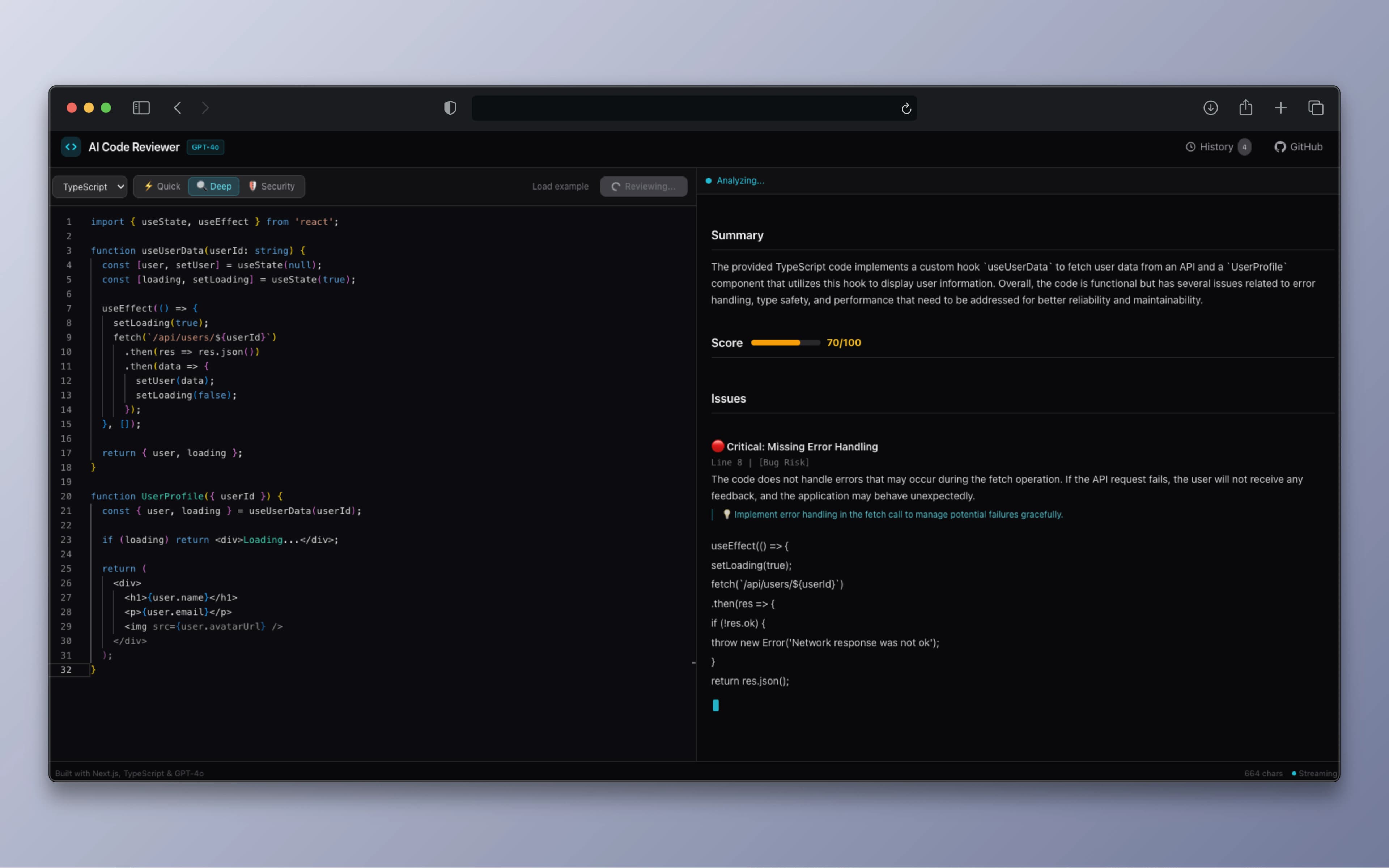
Watch the review appear token by token
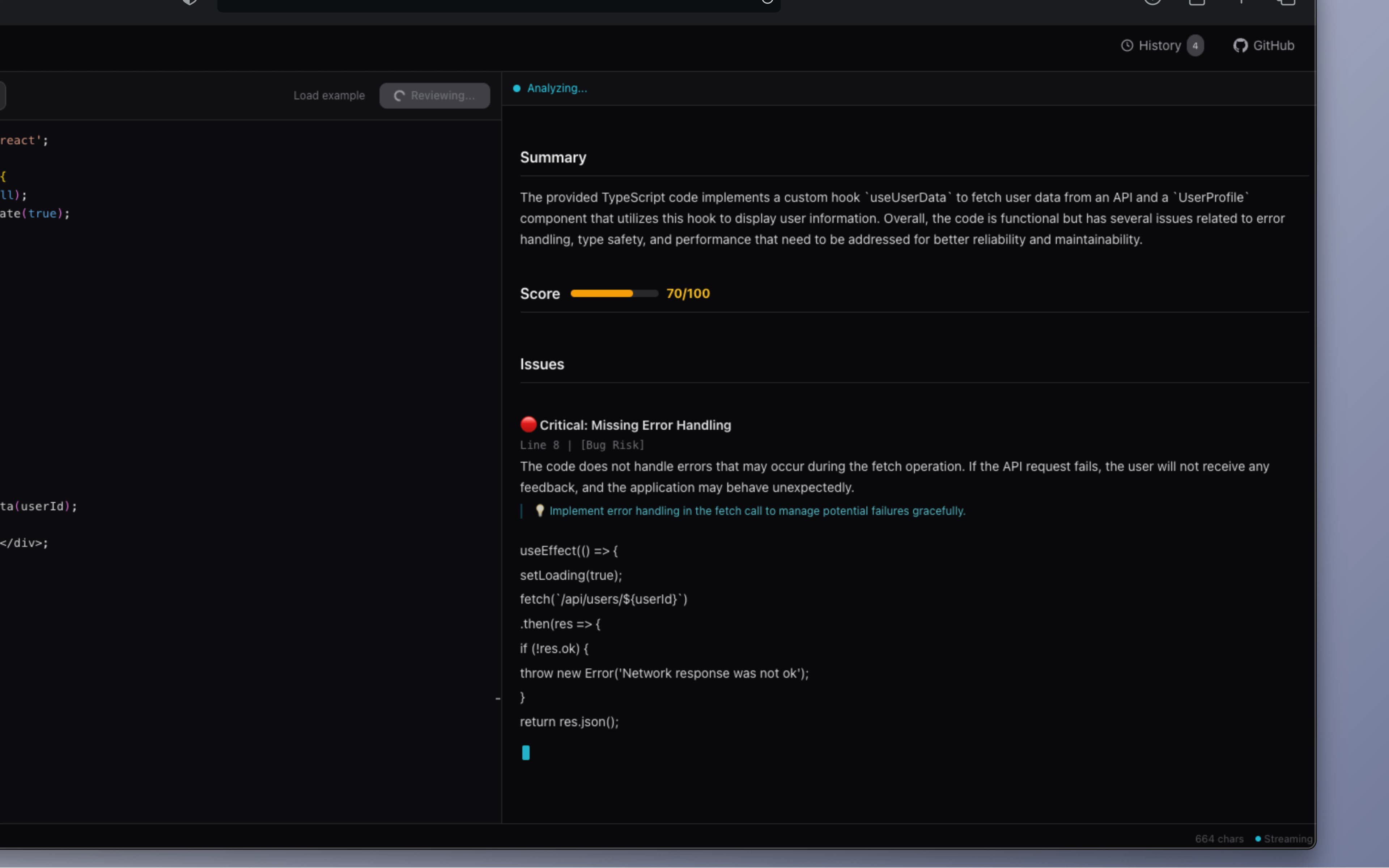
The review result streams in real-time as GPT-4o-mini generates it. Instead of waiting for the whole response to finish, users see the analysis appear token by token with a pulsing cursor indicator, giving immediate feedback that the system is working and building trust in the output.
Under the hood, the Next.js API route creates an OpenAI streaming completion and converts it to a ReadableStream returned directly to the client. The useReview hook consumes this stream via the Fetch API's reader.read() loop, decoding chunks with TextDecoder and accumulating them into React state. An AbortController handles cancellation if the user submits a new review before the current one finishes.
Story 2
Three review modes for different needs
Quick scan, deep analysis, or security audit
Different situations call for different levels of scrutiny. A quick self-check before pushing doesn't need the same depth as a pre-launch security audit. The app provides three modes, each with a distinct system prompt that shapes the AI's focus, depth, and output length.
Quick mode limits output to the top 3-5 issues with concise explanations, ideal for a fast sanity check. Deep mode analyzes architecture, edge cases, type safety, and refactoring opportunities with code examples. Security mode focuses exclusively on vulnerabilities: injection, XSS, auth flaws, data exposure, and dependency risks.
⚡ Quick review
Top 3-5 issues only. Concise explanations. Fast turnaround for pre-commit self-checks and rapid iteration.
🔍 Deep analysis
Thorough review of architecture, patterns, edge cases, and refactoring opportunities. Includes code examples in suggestions.
🛡️ Security audit
Focused on vulnerabilities: SQL injection, XSS, authentication flaws, data exposure, CORS issues, and dependency risks.
Story 3
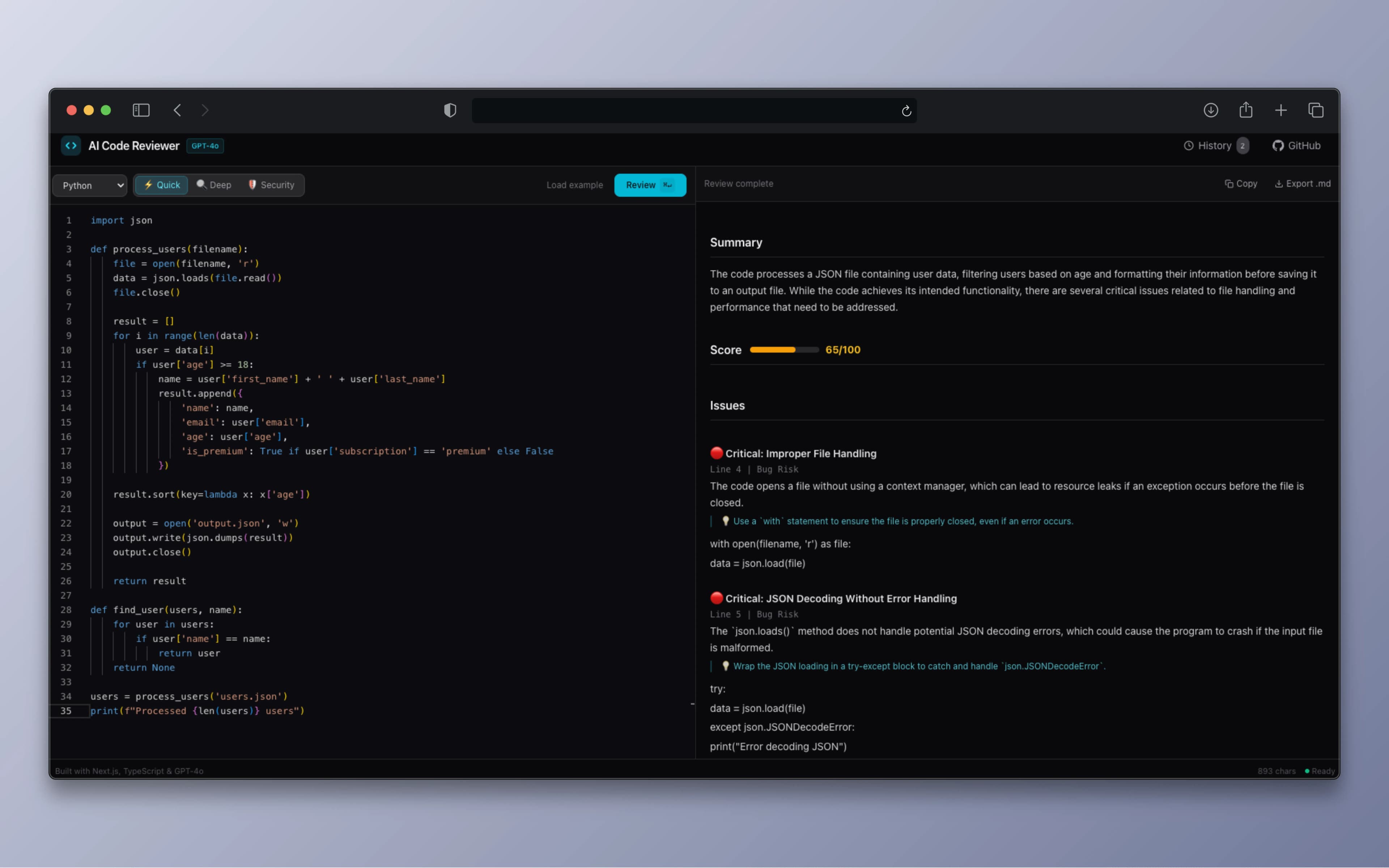
Structured, actionable feedback
Not a wall of text: categorized issues with severity and suggestions
The AI output is structured into clear sections: Summary (2-3 sentence overview), Score (0-100 with a color-coded progress bar), Issues (each tagged with severity and category), Highlights (what the code does well), and Suggestions (general improvements).
Each issue is tagged with a severity level: Critical for bugs and security flaws, Warning for performance issues and bad practices, Info for style and readability improvements, along with the specific line number and category (Performance, Bug Risk, Readability, Best Practice, Security). A custom lightweight markdown renderer parses the streaming output into styled React components without any external dependency.
Completed reviews can be copied as markdown (ready to paste into a PR comment) or downloaded as a .md file. Review history is persisted locally via Zustand with localStorage, allowing users to revisit and reload previous reviews with one click.
Technical deep dive
Streaming pipeline: API route → ReadableStream → React state
The API route creates an OpenAI streaming completion, iterates over the async chunks, extracts the delta content, encodes it with TextEncoder, and enqueues it into a Web Streams API ReadableStream. The client consumes this with a reader.read() loop, decoding each chunk and accumulating into React state for real-time rendering.
// API Route: convert OpenAI stream → ReadableStream
const readable = new ReadableStream({
  async start(controller) {
    for await (const chunk of stream) {
      const text = chunk.choices[0]?.delta?.content || "";
      if (text) controller.enqueue(encoder.encode(text));
    }
    controller.close();
  },
});

// Client: consume stream in useReview hook
const reader = response.body?.getReader();
const decoder = new TextDecoder();
while (true) {
  const { done, value } = await reader.read();
  if (done) break;
  fullResult += decoder.decode(value, { stream: true });
  setResult(fullResult);
}Custom markdown renderer
Instead of pulling in react-markdown (35KB+ gzipped), I built a lightweight renderer tailored to the specific review output format. It parses headings, bullet points, numbered lists, code blocks, bold text, and the score line into styled React components. The score line gets special treatment, and it extracts the numeric value via regex and renders a color-coded progress bar (green ≥ 80, amber ≥ 60, red below).
// Score line detection + color-coded rendering
if (text.toLowerCase().startsWith("score")) {
  const score = parseInt(text.match(/(\d+)\/100/)?.[1]);
  const color = score >= 80 ? "emerald"
    : score >= 60 ? "amber" : "red";
  return <ScoreBar score={score} color={color} />;
}Rate limiting + cost protection
Since this is a public demo backed by a paid API, cost protection is critical. The API route implements in-memory rate limiting (10 requests per IP per hour) using a Map with TTL-based expiry. Input validation caps code length at 8,000 characters. The max_tokens parameter is dynamically set per review mode (Quick: 1000, Deep: 2000, Security: 1500) to minimize unnecessary token usage.
// In-memory rate limiting per IP
const RATE_LIMIT = 10;
const RATE_WINDOW = 60 * 60 * 1000; // 1 hour

function checkRateLimit(ip: string): boolean {
  const record = requestCounts.get(ip);
  if (!record || Date.now() > record.resetAt) {
    requestCounts.set(ip, { count: 1, resetAt: now + RATE_WINDOW });
    return true;
  }
  return record.count++ < RATE_LIMIT;
}Monaco Editor with lazy loading
Monaco Editor (the engine behind VS Code) provides professional-grade code editing with syntax highlighting for 8+ languages, but it ships at 2MB+ uncompressed. To prevent it from blocking the initial page load, it's loaded via Next.js dynamic() with SSR disabled and a skeleton loading state. TypeScript and JavaScript diagnostics are disabled via beforeMount to prevent false-positive errors on pasted code that lacks type definitions.
Architecture decisions
What I learned
Building AI Code Reviewer taught me that the real complexity of AI integration isn't the API call, it's the streaming UX. Getting a response from GPT-4o-mini is straightforward; making that response feel responsive, structured, and trustworthy as it streams in required careful state management, error recovery, and UI decisions like the pulsing cursor and progressive rendering.
Prompt engineering was also more nuanced than expected. Getting consistent, well-structured markdown output required iterating on the system prompt extensively, specifying the exact heading hierarchy, severity format, and score format so the custom renderer could parse it reliably. The lesson: when you own both the prompt and the renderer, you can build a much tighter feedback loop than relying on a generic markdown parser.
Try it yourself
Paste any code snippet and get an instant AI-powered review with structured feedback.
Open live demo