The problem
Seven steps and four different tools
Every quote meant switching between Shopify, a spreadsheet, a document editor, and email, and typing the same product, price, and customer details again at each step. Requests also came in two ways. Some buyers asked through the website, and others called or emailed a rep. Both kinds had to end up in the same place.
That meant two separate screens, one for buyers and one for staff, working from the same quote.
Decision 1
Keeping the quote cart separate from the shopping cart
Buyer side · Order now and ask for a quote in the same visit
Buyers needed to ask for bulk pricing without messing up their regular order. So I built the quote cart as its own Redux Toolkit slice, separate from Shopify's cart. Adding something to a quote never changes what's in the cart, and the other way around.
The request form asks for contact and company details and checks them as you type. Buyers can also pick which sales reps get copied, using the same email chips staff use in the admin. There's a review step before they submit.
Each request sends three emails through AWS SES: one to the reps the buyer picked, with a link straight to the quote in the admin; one to the admin team; and a confirmation to the buyer. If the buyer is new, the app creates their Shopify account and sends an activation email. They can also upload a tax exemption form, which goes to the finance team.
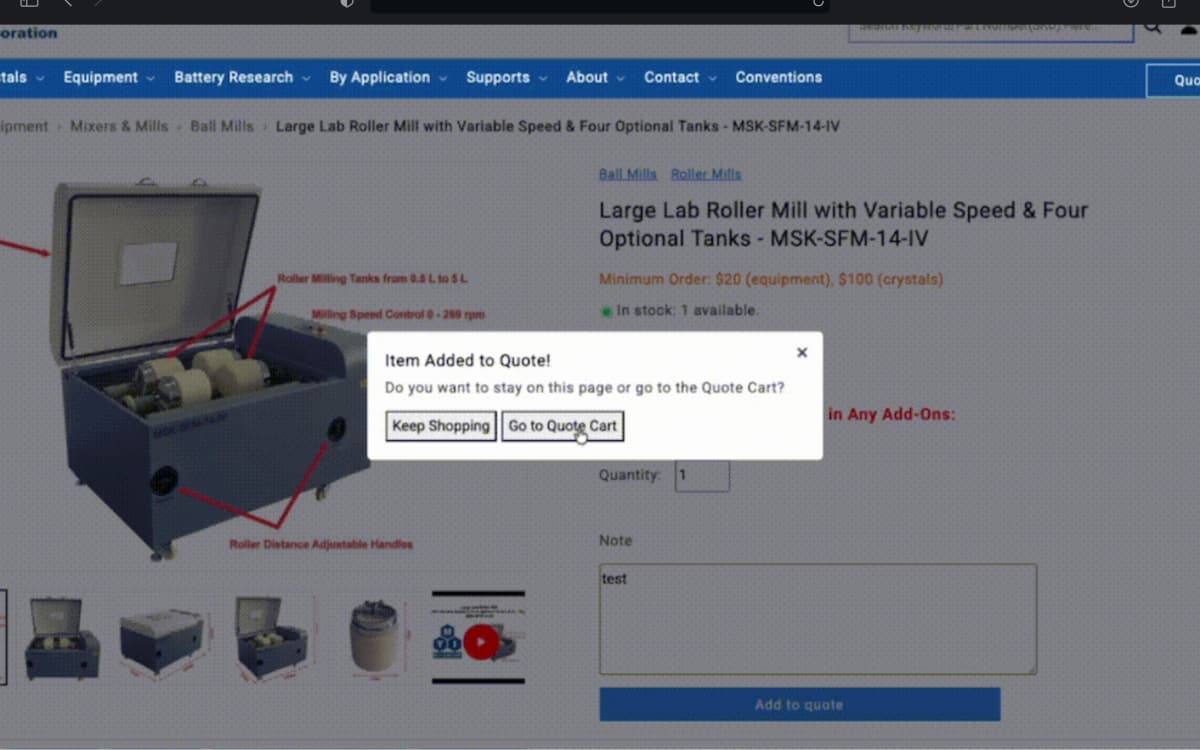
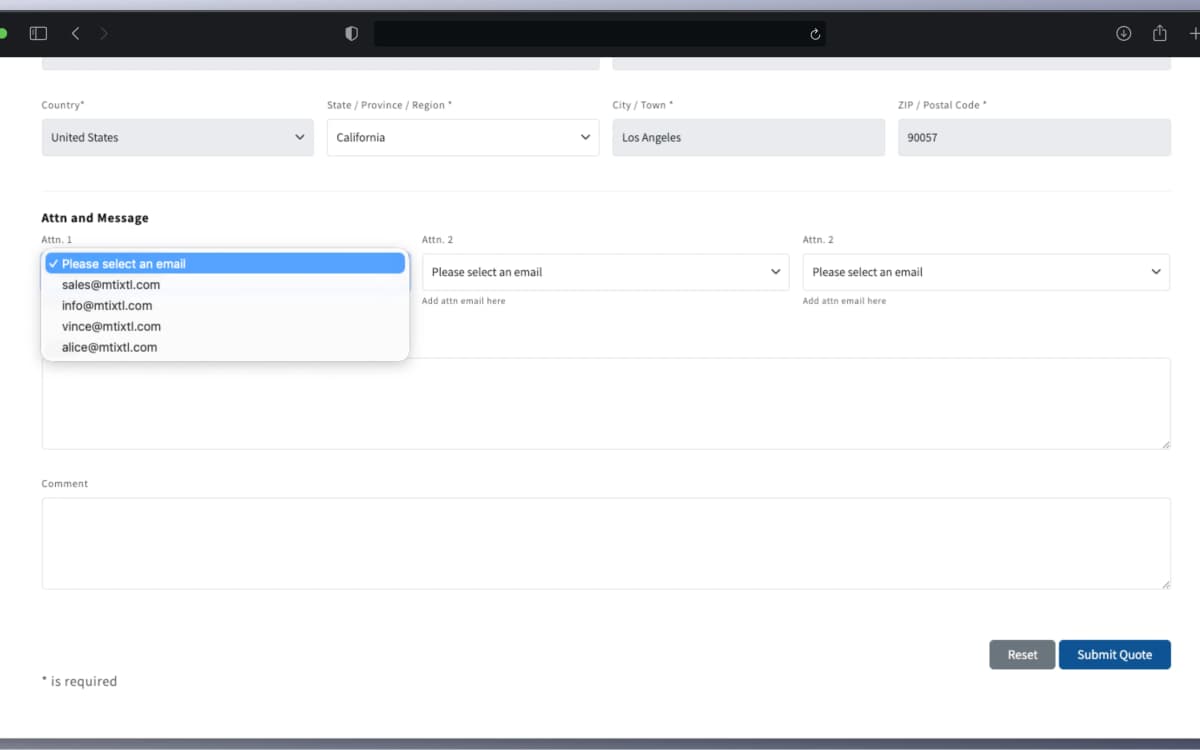
Separate quote cart
Its own Redux Toolkit slice, so quoting never touches the shopping cart.
Three emails per request
Reps, the admin team, and the buyer each get one. The reps' email links right to the quote.
New customer accounts
First-time buyers get a Shopify account created for them, plus an activation email.
Decision 2
One page for the whole quote
Staff side · Edit everything without leaving the page
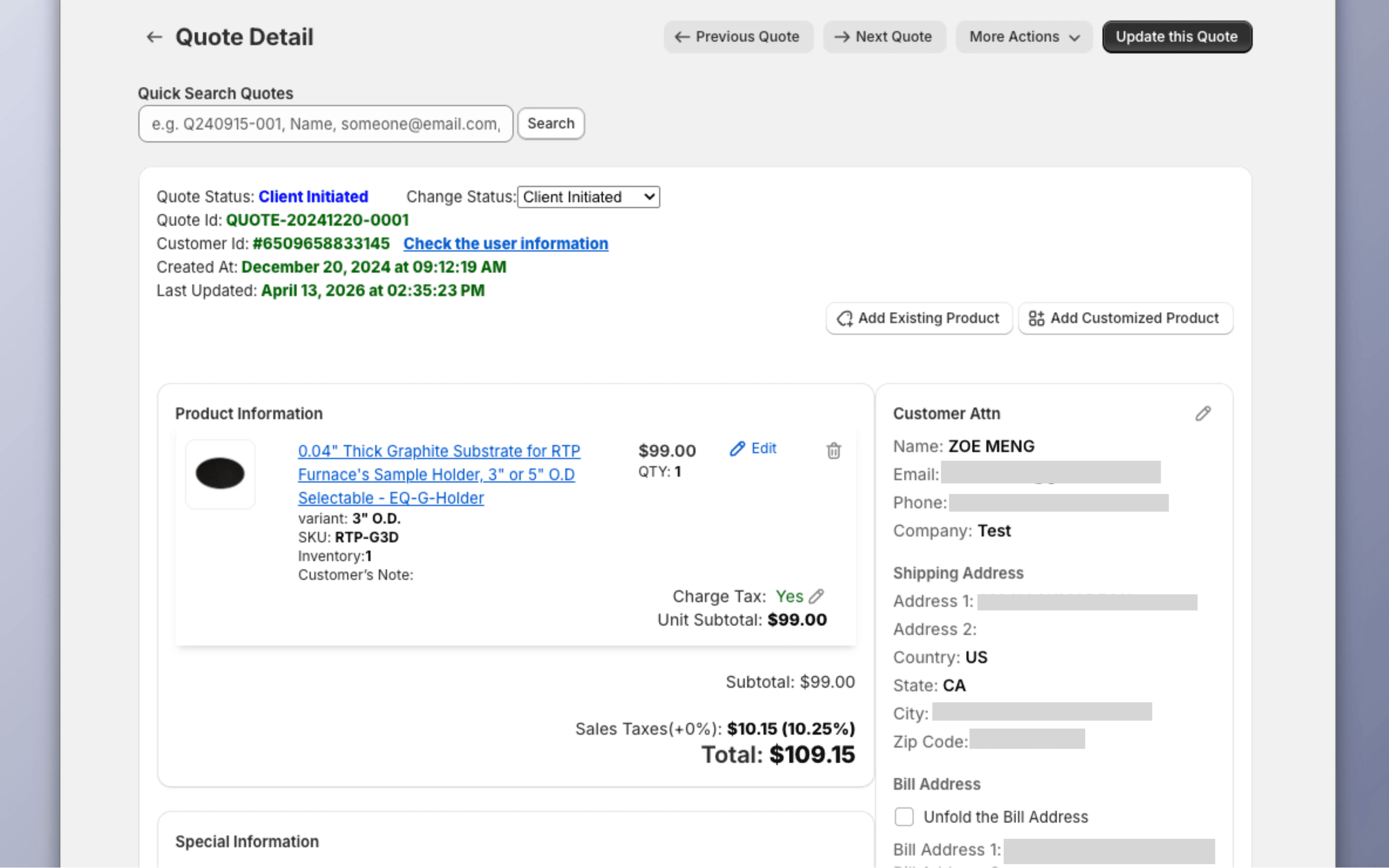
Quote Detail is where staff do the actual work, so I kept everything on that one page: products, customer info, pricing, who's assigned, the email, and actions like converting to an order. They never have to open another tab to finish a quote.
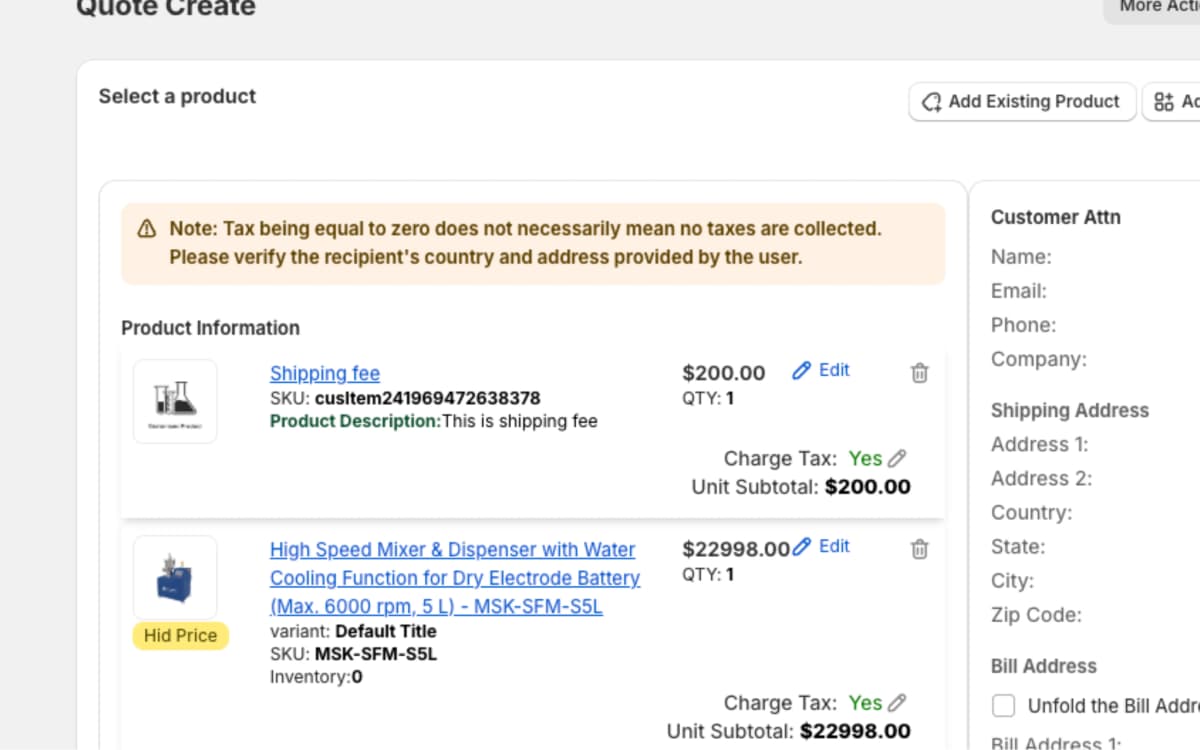
Every customer is a bit different. The same product can have a different price for a different customer, some items are tax exempt, and shipping terms vary. Staff can edit price, quantity, and tax right in the table, and the subtotal, tax, and total update immediately. Tax comes from California's CDTFA rate API, based on the shipping address. A "Hide price" option leaves a line's price off the PDF.
Decision 3
Making it clear who owns each quote
Staff side · One owner per quote, no double replies
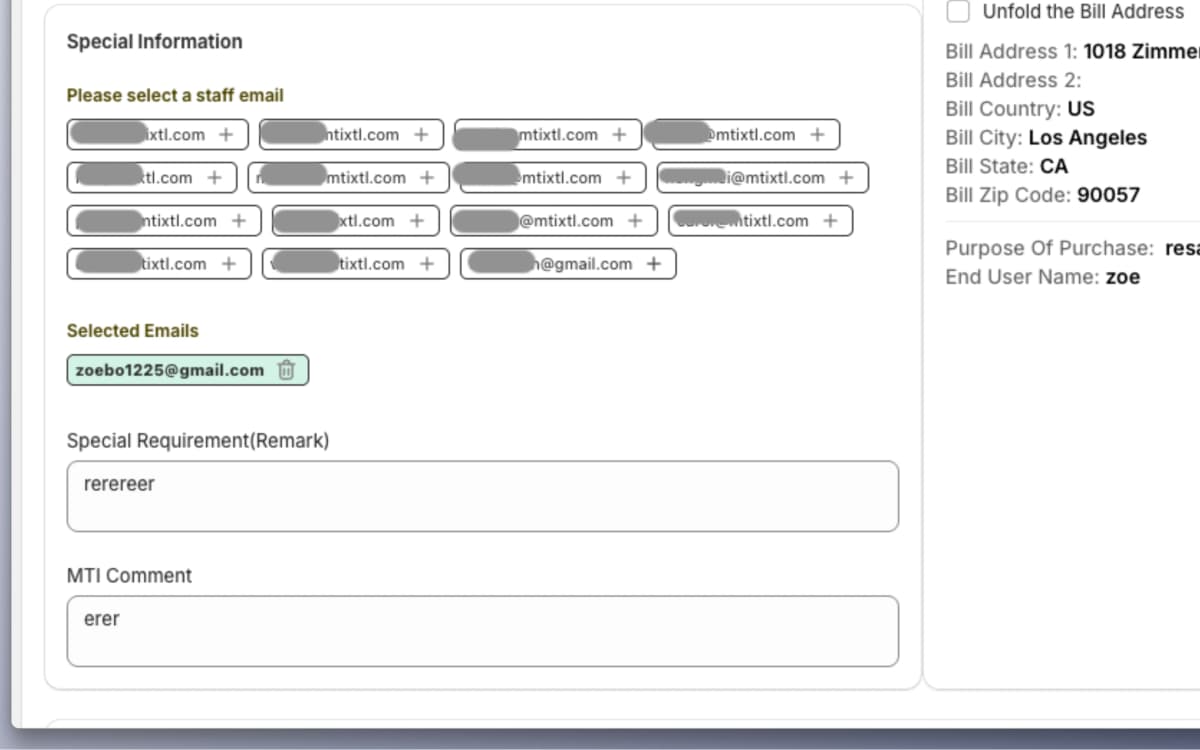
Before, it was easy for two reps to answer the same customer without knowing it. Now each quote shows the sales team as email chips above the email. If the buyer picked reps when they submitted, those are already selected. A manager can click to reassign, and whoever is selected is copied on every email.
The email itself is filled in from the quote: from, to, CC, and a subject line with the quote ID. The body starts from a template the team can edit in a rich text editor (SunEditor), and the PDF attaches with one click.
The details
Finding and creating quotes
Staff side · Search, sort, and create quotes
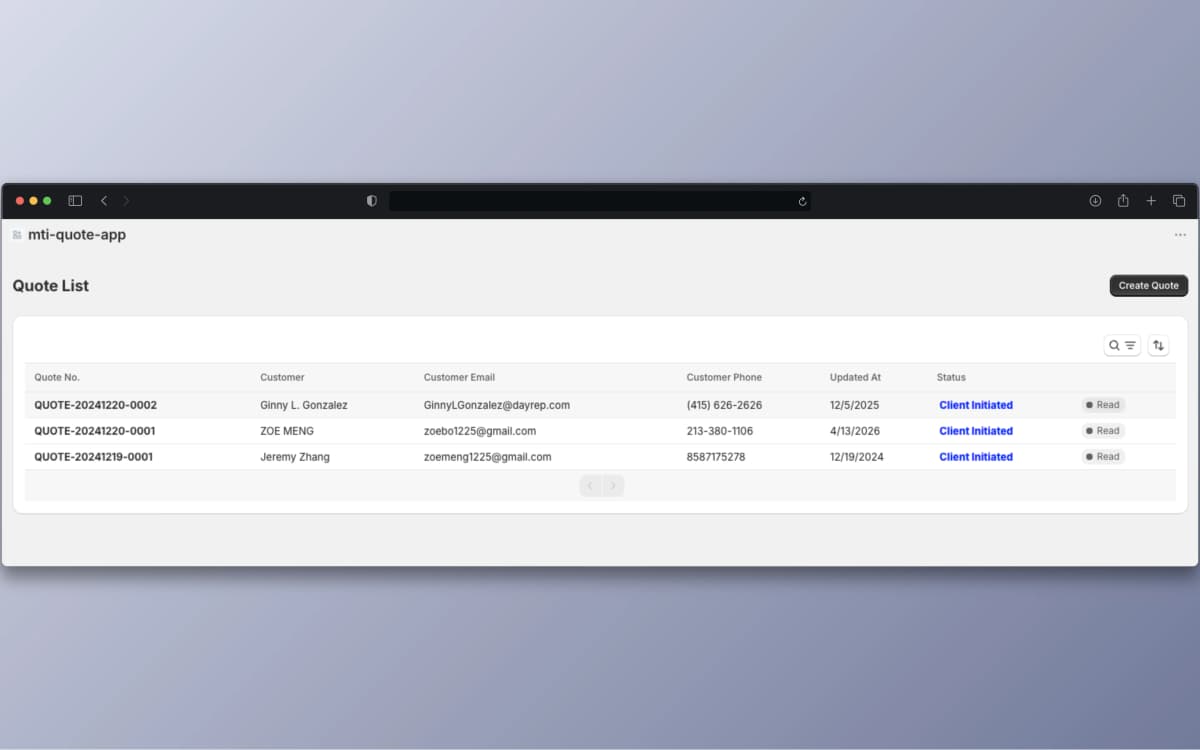
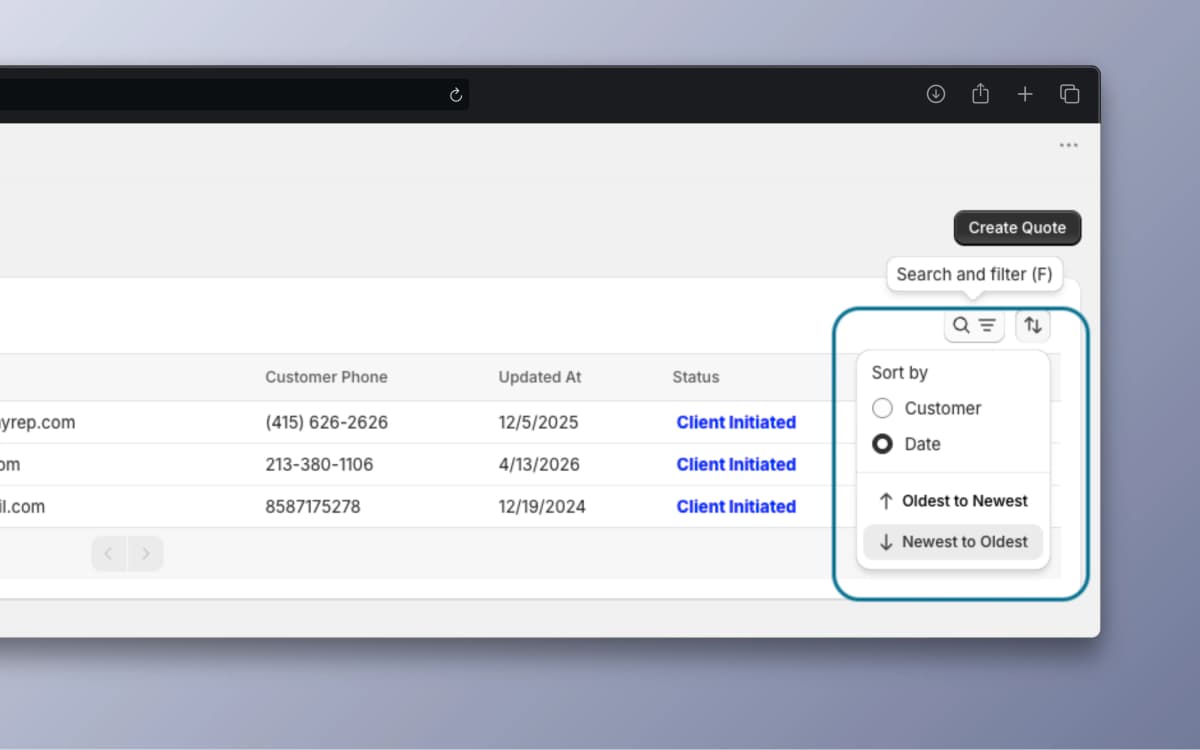
Every request from the website shows up in the Quote List. Reps can search by quote ID or customer name, sort by date or name, and see which quotes are still unread. It shows 20 quotes per page.
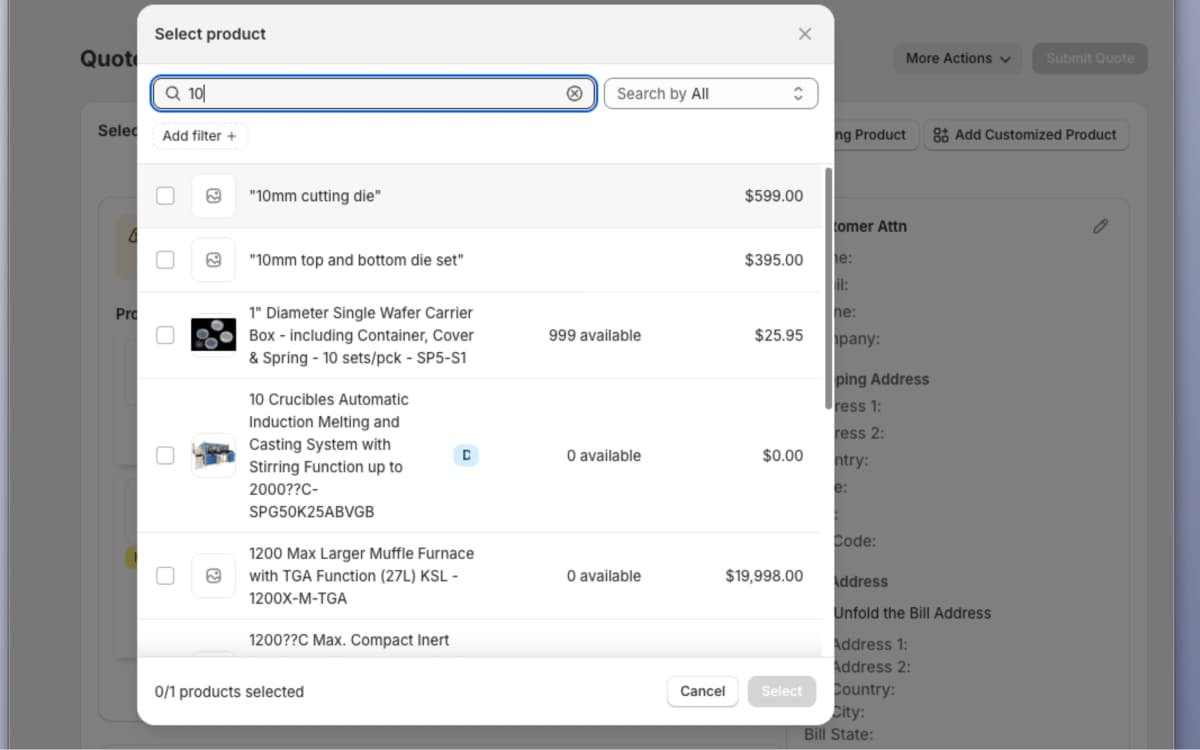
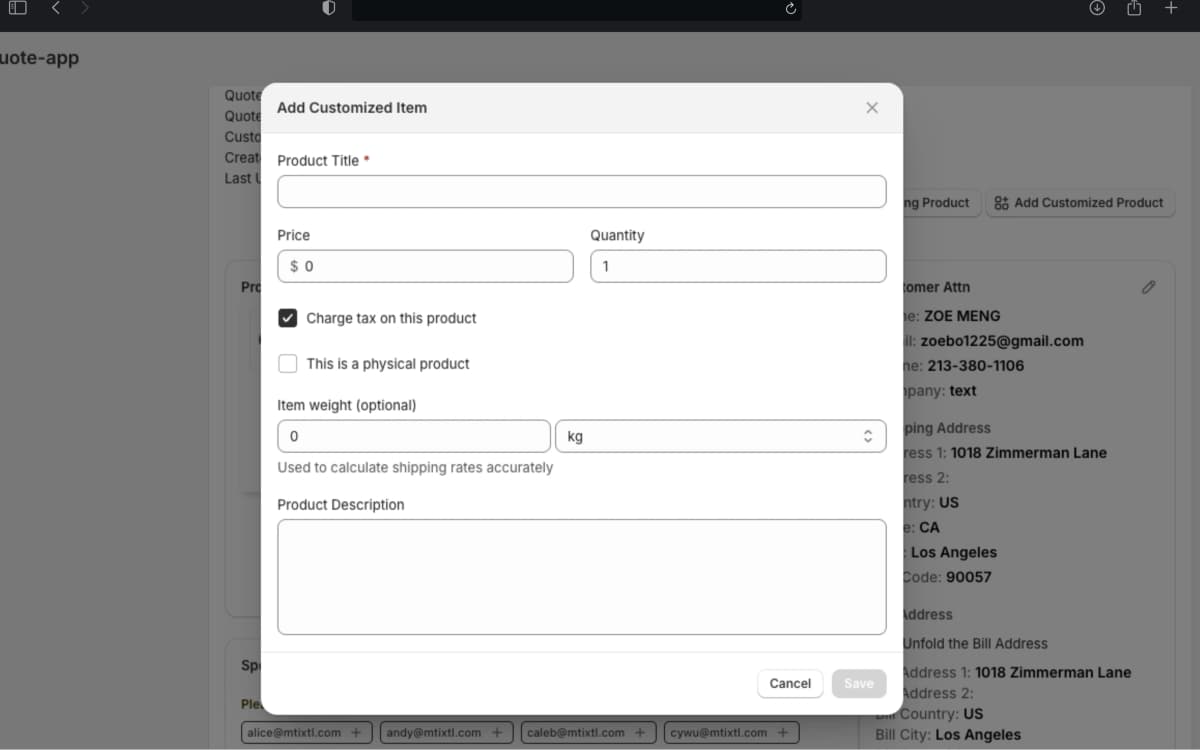
Quotes that come in by phone or email start from "Create Quote." Reps search the 30K+ product catalogby name and filter by category, collection, type, or vendor with Shopify's ResourcePicker. For things that aren't in the catalog, like shipping fees or custom fabrication, "Add Customized Product" lets them add a line with its own title, price, quantity, tax setting, weight, and description.
The details
From quote to order
Staff side · Turn an approved quote into an order in one click
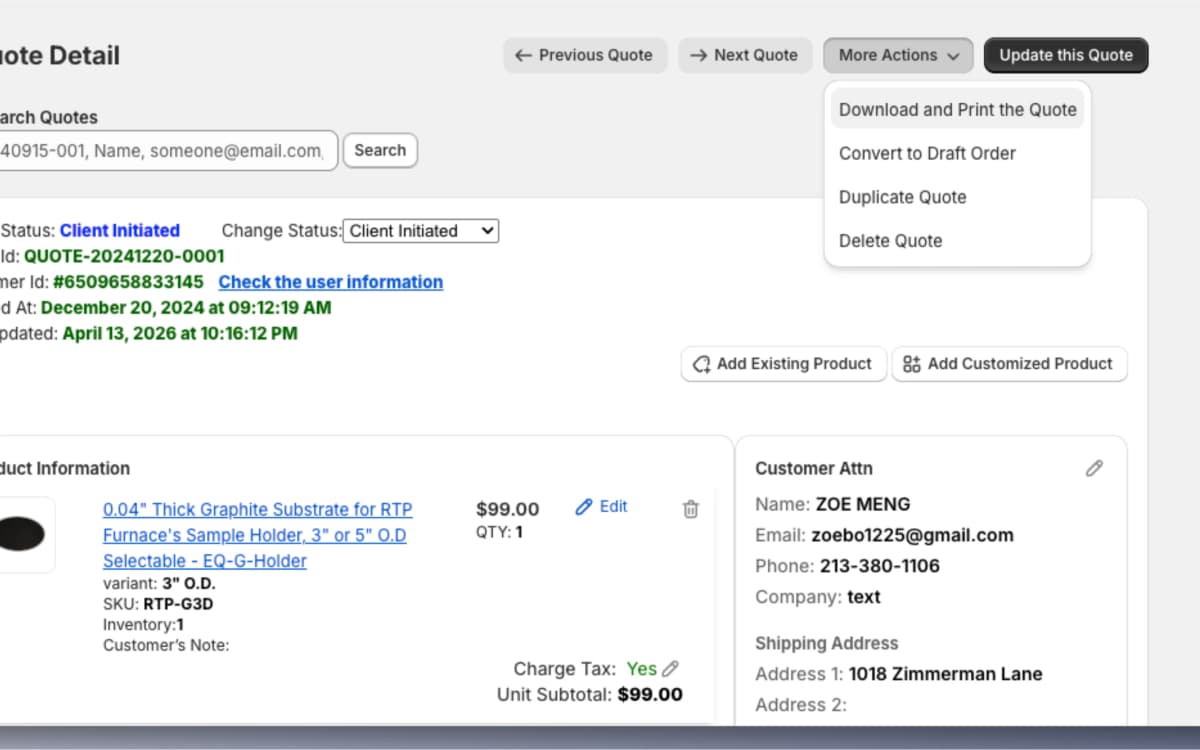
The "More Actions" menu on Quote Detail has four actions.
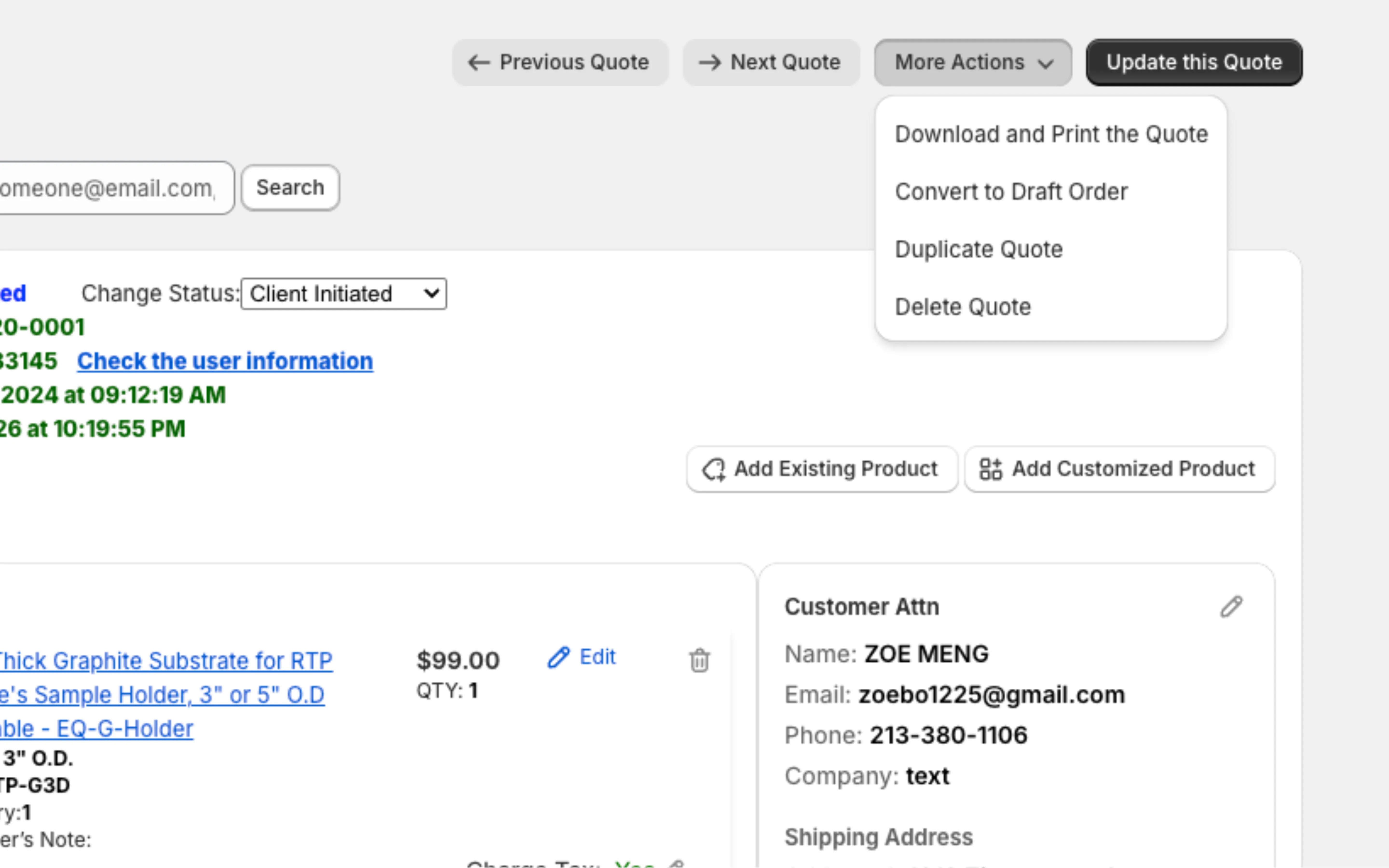
Convert to Draft Order
When a customer approves a quote, one click runs Shopify's draftOrderCreate mutation with all the line items, customer info, addresses, and shipping. The customer pays the draft order and Shopify turns it into a regular order, so nobody has to type the quote in again.
Download or print a PDF
Made in the browser with jsPDF and html2canvas, so the PDF looks like the quote on screen, with prices, tax, and customer info. Lines marked "Hide price" stay hidden in the PDF. The same PDF goes out with the quote email through AWS SES.
Duplicate
Makes a copy with a new quote ID. Handy for repeat orders or a second version for the same customer.
Delete, with a safety check
Asks twice before deleting ("Once deleted, it cannot be undone!"), and only some accounts can do it.
Outcome
about 80% less time per quote
Most of the time saved came from steps that disappeared. The email fills itself in, tax is already calculated, the PDF attaches with one click, and an approved quote turns into an order right from the same page.
From about 10 minutes to 2 minutes
Before
- Find the product in Shopify
- Copy prices into a spreadsheet
- Work out tax and totals by hand
- Make a PDF in Word or Google Docs
- Open email and write the message
- Attach the PDF and CC the right people
- Send. About 10 minutes per quote
After
- Open Quote Detail, already filled in
- Adjust prices if needed
- Click the reps to CC
- Check the pre-filled email
- Attach the generated PDF
- Send. About 2 minutes per quote
Technical deep dive
How the two apps connect
There are two apps. The storefront app runs on the Shopify store and handles quote requests. The admin app (Quote List, Create Quote, Quote Detail) is where staff take a quote from first request to draft order.
The storefront talks to the admin through one REST endpoint (api.shopify.jsx), which creates the quote, sets up new customer accounts, and sends the emails. On the admin side, product data comes from Shopify GraphQL, quotes are stored with Drizzle ORM on Cloudflare D1, and tax comes from the California CDTFA API.
Separate state for the quote cart
The quote cart and the shopping cart are separate Redux Toolkit slices with their own actions and selectors. The quote cart keeps track of items, quantities, tax settings, and custom products, and never writes to Shopify's cart.
// Separate slices, so the quote cart never touches the shopping cart
const quoteCartSlice = createSlice({
  name: 'quoteCart',
  initialState: { items: [], inquiry: {} },
  reducers: {
    addToQuote, removeFromQuote, updateQuantity,
    toggleItemTax, addCustomProduct
  },
});One request for all products
The Quote Detail loader loads the quote, then builds a single GraphQL query that fetches every product variant at once, instead of one request per product. Because it runs in a Remix loader, the data is ready when the page renders on the server.
// One GraphQL request for every product on the quote
const productQueries = products.map((p, i) => `
  variant${i}: node(id: "gid://shopify/ProductVariant/${p.variant_id}") {
    ... on ProductVariant { id, title, price, inventoryQuantity,
      product { id, title }
    }
  }
`);
const { data } = await admin.graphql(`{ ${productQueries.join("\n")} }`);Live tax from the CDTFA API
Tax rates come from California's official rate API, based on the shipping address, and update when the address changes. Reps can mark single items as tax exempt, and the total updates each time.
Quote search
Quick Search on Quote Detail matches quote IDs and Shopify customer IDs exactly (including the GID format), and does partial matches on name, email, and phone. Phone numbers are compared without dashes, spaces, parentheses, or plus signs.
// Compare phone numbers without dashes, spaces, parentheses or "+"
const phoneExpr = sql`
  replace(replace(replace(replace(replace(
    json_extract(customer, '$.phone'),
    '-',''),' ',''),'(',''),')',''),'+','')
`;
// "555-123-4567" matches a search for "5551234567"Tests for the main quote flows
Jest and React Testing Library cover cart actions, pricing math, and form validation.
What I learned
I learned the most just by watching the sales team work. They knew things about their process I would never have guessed. Some features I thought mattered, they never used, and one small shortcut I almost left out became the one they use most.
It also changed what I think of as performance work. In a tool like this, saving someone a round of copy and paste matters more than shaving milliseconds off a page load.